- C++ 91.4%
- Shell 6.6%
- Meson 2%
| Filename | Latest commit message | Latest commit date |
|---|---|---|
 Moritz Martinius
97edea85af
Moritz Martinius
97edea85af
Some checks failed
Build ptprnt / build (push) Failing after 1s
Reviewed-on: #21 |
||
| .gitea/workflows | ||
| .vscode | ||
| docs/assets | ||
| hooks | ||
| scripts | ||
| src | ||
| subprojects | ||
| tests | ||
| .clang-format | ||
| .clang-format-include | ||
| .clang-tidy | ||
| .clangd | ||
| .gitignore | ||
| CHANGELOG.md | ||
| LICENSE | ||
| meson.build | ||
| meson_options.txt | ||
| README.md | ||
ptprnt
A command-line label printer driver for Brother P-touch printers on Linux. Prints text labels directly from your terminal.
Example
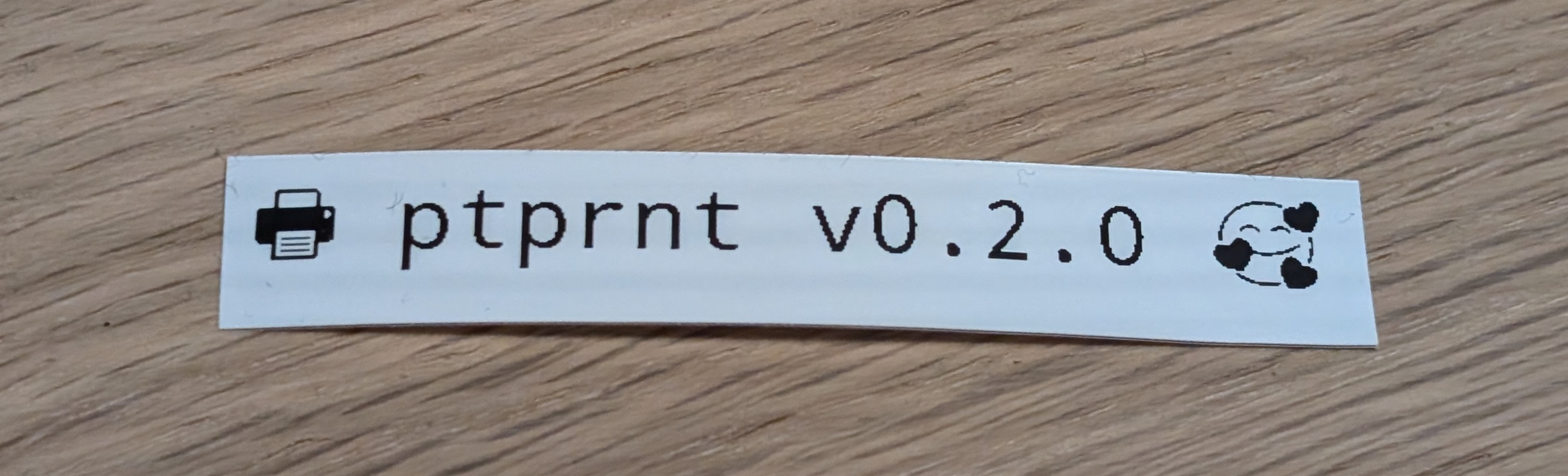
Too print a label, provide your text and optionally a font and a font size. This command will print the label below on a Brother P-Touch P700:
ptprnt --font "NotoMono Nerd Font" --fontsize 32 --text "🖶 ptprnt v0.2.0 🥰"
Quick Start
Quick Start
Binary dependencies
Arch Linux:
pacman -S pango cairo libusb
Debian/Ubuntu:
apt install libpangocairo-1.0-0 libusb-1.0-0
Build dependencies:
Arch Linux:
pacman -S libusb spdlog pango cairo meson
Debian/Ubuntu:
apt install libusb-1.0-0-dev libspdlog-dev libfmt-dev libpango1.0-dev libcairo2-dev meson
Note: spdlog is built as a subproject and statically linked, so it's not required as a system dependency.
Build and run: Clone this repository first and enter the directory. Then build:
# Using the build script (recommended)
./scripts/build.sh release
builddir/ptprnt --help

# Or manually with meson
meson setup builddir
ninja -C builddir
builddir/ptprnt --help
Usage
Basic Text Printing
Print a simple label with text:
ptprnt --text "Hello World"
Formatting Options
Control the appearance of your labels with these options:
--font FONT_NAME- Set the font (e.g., "NotoMono Nerd Font", "DejaVu Sans")--fontsize SIZE- Set font size in points (default: 24)--halign ALIGNMENT- Horizontal alignment:left,center,right(default: center)--valign ALIGNMENT- Vertical alignment:top,center,bottom(default: center)
Example with formatting:
ptprnt --font "DejaVu Sans Mono" --fontsize 28 --halign left --text "Left aligned text"
Multiple Text Elements
You can add multiple text elements to a single label. Formatting options apply to all subsequent --text arguments until changed:
ptprnt \
  --font "DejaVu Sans" --fontsize 32 --text "Large Title" \
  --fontsize 18 --text "Smaller subtitle"
Multiple Labels (Stitching)
Create multiple labels that will be stitched together horizontally using the --new flag:
ptprnt \
  --text "Label 1" \
  --new \
  --text "Label 2" \
  --new \
  --text "Label 3"
Each --new starts a fresh label. The labels are automatically stitched together with 60 pixels of spacing.
Example - Creating a series of address labels:
ptprnt \
  --font "DejaVu Sans" --fontsize 20 \
  --text "Peter Lustig" --text "Am Bauwagen 1" \
  --new \
  --text "Donald Duck" --text "Blumenstraße 13" \
  --new \
  --text "Homer Simpson" --text "742 Evergreen Terrace"
Example - Mixed formatting across labels:
ptprnt \
  --fontsize 32 --text "BIG" \
  --new \
  --fontsize 16 --text "small" \
  --new \
  --fontsize 24 --text "medium"
Printer Selection
By default, ptprnt auto-detects your printer. You can explicitly select a printer:
ptprnt --printer P700 --text "Hello"
List all available printer drivers:
ptprnt --list-all-drivers
Testing with Fake Printer
Before printing to your real printer, you can test your label output using the built-in fake printer. This generates a PNG image file instead of printing:
ptprnt --printer FakePrinter --text "Test Label"
This will create a file named fakelabel_YYYYMMDD_HHMMSS.png in your current directory with a preview of your label. Use this to:
- Verify text formatting and layout
- Test multi-label stitching
- Preview before wasting label tape
Example workflow:
# First, test your label design
ptprnt --printer FakePrinter \
  --font "DejaVu Sans" --fontsize 28 \
  --text "Test Design" --text "Check Layout"

# View the generated PNG file to verify
# If satisfied, print to real printer
ptprnt --printer P700 \
  --font "DejaVu Sans" --fontsize 28 \
  --text "Test Design" --text "Check Layout"
Verbose Output
Enable detailed logging for debugging:
ptprnt --verbose --text "Debug mode"
Enable USB trace to see raw USB communication:
ptprnt --trace --text "USB trace mode"
Complete Example
An example using a mixed bag of features:
ptprnt \
  --verbose \
  --printer P700 \
  --font "NotoMono Nerd Font" \
  --fontsize 28 --halign center --text "Product Label" \
  --fontsize 20 --text "SKU: 12345" \
  --new \
  --fontsize 24 --text "Backup Label" \
  --fontsize 18 --text "Date: 2025-10-16"
Supported Printers
(I need more printers for verification 😉)
- Brother P-touch P700 series
Developer info
This is a modern C++20 rewrite of ptouch-print. Credits to Dominic Rademacher for reverse engineering the USB protocol.
Build script:
# Release build (tests disabled for faster builds)
./scripts/build.sh release

# Debug build (tests enabled)
./scripts/build.sh debug

# Debug with tests
./scripts/build.sh debug --test

# Debug with coverage
./scripts/build.sh debug --coverage

# Clean all build directories
./scripts/build.sh clean

# Show all options
./scripts/build.sh --help
Note: Tests are only built in debug mode to keep release builds fast and small. Release builds do not include test binaries or link against gtest/gmock.
Running tests:
# Using build script
./scripts/build.sh --test

# Or manually
ninja -C builddir test
Coverage reports:
# 1. Build with coverage enabled and run tests
./scripts/build.sh debug --coverage --test

# 2. Generate coverage reports
./scripts/generate_coverage.sh              # All formats (html, xml, text)
./scripts/generate_coverage.sh --html       # HTML only
./scripts/generate_coverage.sh --text       # Text only
./scripts/generate_coverage.sh --xml        # XML only (for CI/CD)
./scripts/generate_coverage.sh --html --xml # HTML and XML
License
GPLv3, see LICENSE
Author
Moritz Martinius moritz@admiralackbar.de